
Download Game
Anytime, Anywhere
PC, Mobile, and Steam!
PC, Mobile, and Steam!





User Interface
Town UI
Inside Todburg
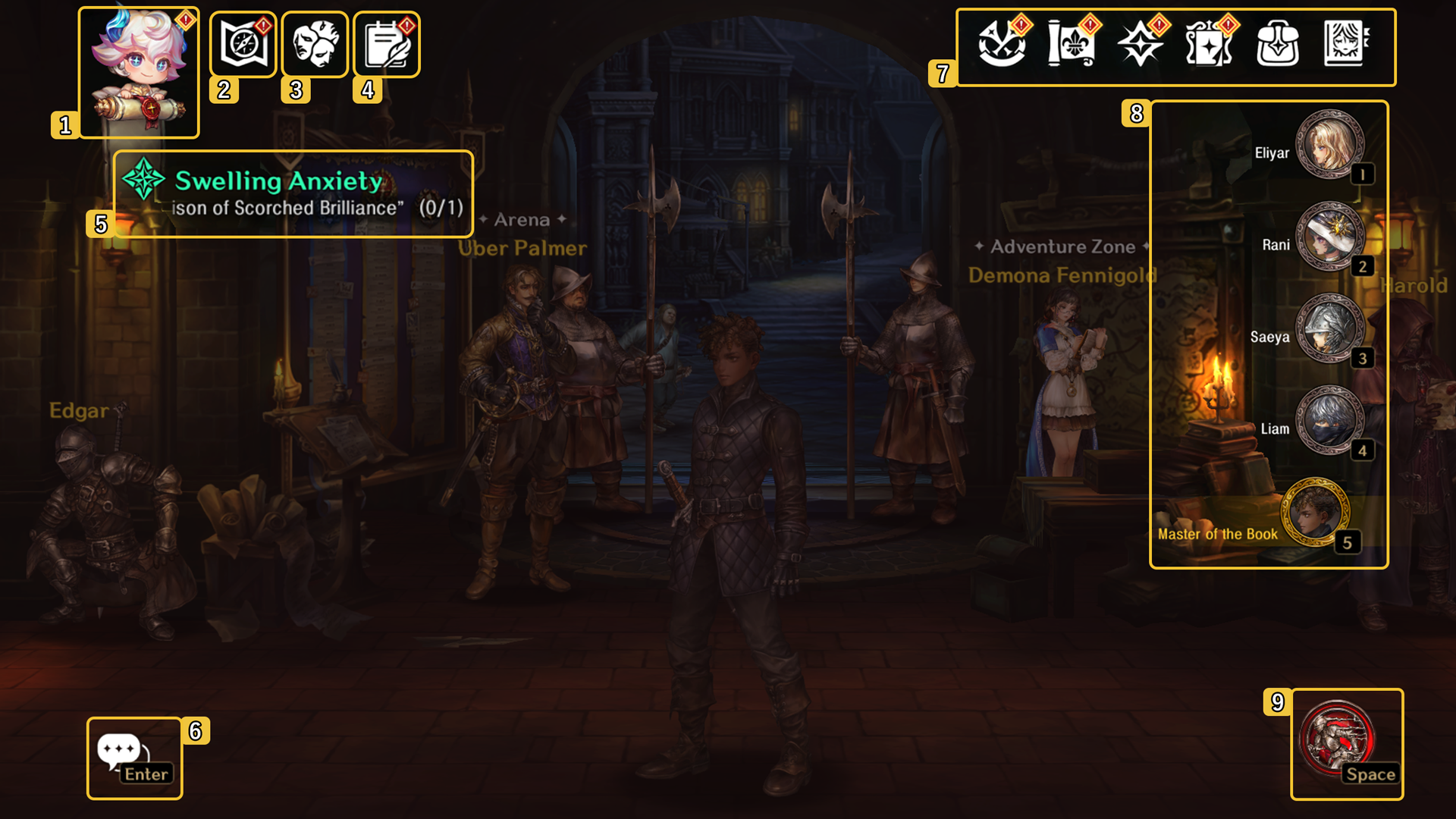
| # | Function | Explanation |
| 1 | Menu | This option allows you to open the main menu, which allows you to select multiple different options. |
| 2 | Adventure Zone | Open up the Adventure Zone map and select where your next quest will take you. |
| 3 |
Nightmare |
Quickly navigate to the Nightmare, where you can complete Veda's Nightmare or collect items from the Wealth of the Holy Grail. |
| 4 | Licorice Notifications |
Appears when you have outstanding Master of the Book rewards or you can collect new Knight's Missions |
| 5 |
Current Quests |
Highlights any current quests that you have available. |
| 6 |
Chat |
Click here to chat with outher Masters of the Book. |
| 7 | Quick Navigation |
Navigate quickly to other menus here. From Adventure Guide to Reward Decree, the most common shortcuts are here. |
| 8 | Character Select | Select which character you want to walk around Todburg as by clicking the icons here, or pressing the associated key. |
| 9 | Sprint | Highlights that the ability to sprint is available. |
Combat
During Battle
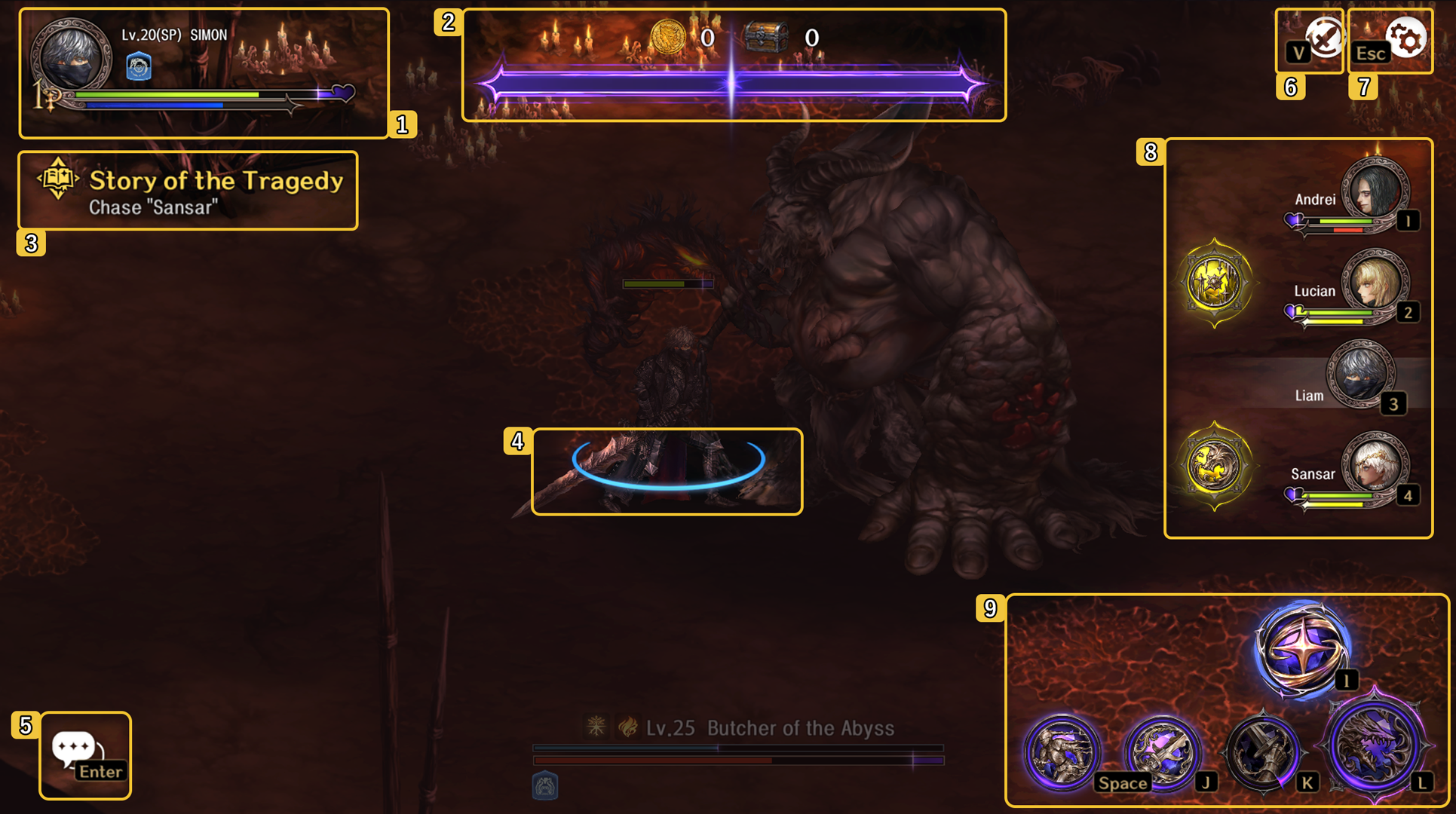
| # | Function | Explanation |
| 1 |
Character |
Here you can see the information for your currently active Knight. You can see any active buffs/debuffs, current hit points and more. |
| 2 |
Reward |
You can check the amount of Gold and number of acquired items here. |
| 2 |
Power |
The bar beneath the Items/Gold is the Accrued Power of the Stars. You can quickly check which Attribute has filled the bar based on the color. |
| 3 | Quest |
View your active Objectives here. |
| 4 |
Stamina |
Check how much Stamina your character has remaining. |
| 5 |
Settings |
Pause the game, access the settings menu, or exit the stage. |
| 6 |
Autoplay |
Activate autoplay, where your character will progress through the stage automatically. |
| 7 | Pause/Settings |
This button will pause the game, opening up the Setting window. You can also exit the stage through this button. |
| 8 |
Knights |
Here you can see the rest of your team, their current HP and Veda's Energy. Press the Icons or press the hotkey to switch to the character. |
| 9 | Skills | Here you can use the skills that your character possesses, as well as check on cooldowns. You can also activate the Overwhelming Power of the Stars. |
*The images in this guide were captured from a test version and may change with future updates.